HaptX Gloves G1 · Haptics for professional VR and robotics

When virtual becomes physical.

Feel the shape, texture and resistance of virtual objects with advanced haptic gloves built for professional training, design and robotics.

Tactile actuators
135per hand
Force feedback
8 lbfper finger
Hand tracking
0.3 mmrms resolution
See what touch changes

Weirdly natural… That is really impressive. The tactile feedback is tremendous.

Jeff BezosFounder and Executive Chairman, Amazon

The gold standard for haptics in VR.

Anshel SagPrincipal Analyst, Mobility & VR

I have tried several other VR gloves, and this is definitely the most complete solution.

Lucas MatneySenior Editor, TechCrunch

02See what touch changes

A screen can show contact. HaptX makes the hand feel it.

A website can’t transmit touch — so here is the evidence instead. Step through the same grip three ways: what the user sees, what their hand physically does, and what the glove does in between.

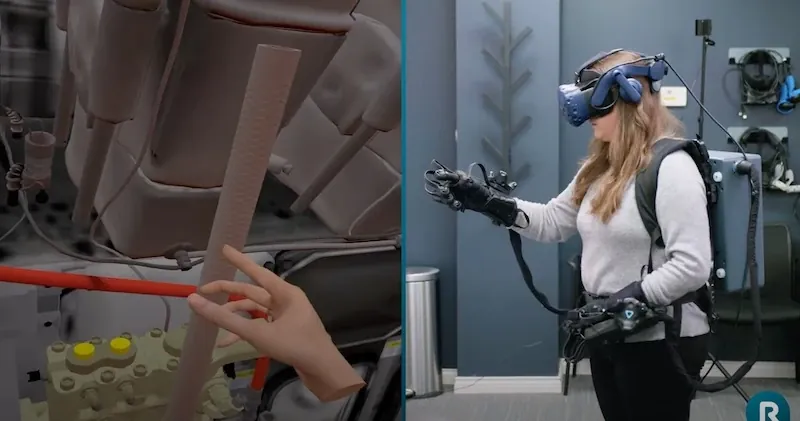
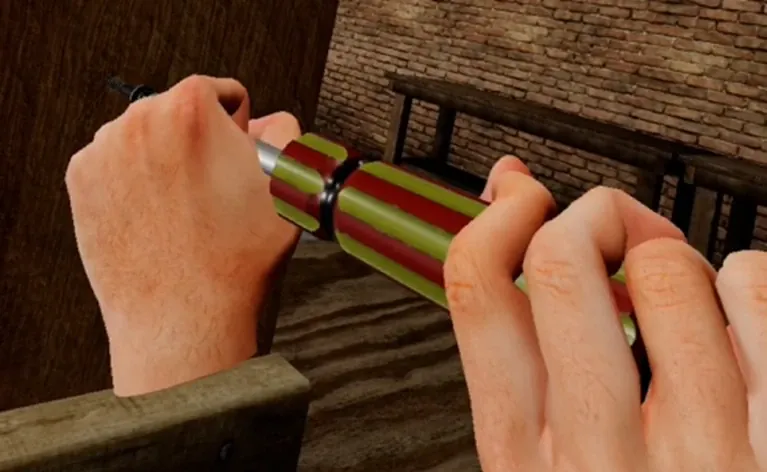
In-engine view: two virtual hands gripping the handle of a virtual screwdriver in a HaptX SDK scene. Virtual · what the headset shows
HaptX SDK scene: virtual hands driven by HaptX motion tracking.
  1. Virtual hands follow the real ones

    Tracked in real time — 36 degrees of freedom per glove at 0.3 mm resolution.

  2. The handle is pure geometry

    Its size, rigidity and surface are properties set per object in the HaptX SDK.

  3. Without haptics, this is where it ends

    The eye sees contact; the hand gets, at most, a controller’s vibration.

Physical · what the hand does
HaptX footage: the wireframe drill is the virtual object; the gloved hand is real.
  1. Pressure where the surface is

    Microfluidic actuators lining the fingers and palm press into the skin — 135 per hand, up to 1.5 mm.

  2. Resistance where the shape is

    Exotendons resist finger closure with up to 8 lbf per finger, engaging in 23 ms.

  3. A real, unrestricted hand

    No controller to hold: the operator grips, turns and releases as they would on the job.

From contact to sensation, in one continuous loop.

The system tracks the hand, decides what it is touching, and physically renders that contact — pressure on the skin and resistance at the fingers — fast enough that there is no perceptible lag.

Explore the technology
A HaptX tactile panel: each bump is an actuator that inflates to press the skin.
  1. Track Magnetic motion capture follows every joint of the hand. 36 DoF per glove · 0.3 mm rms
  2. Simulate The HaptX SDK’s physics detects contact and the object’s size, shape and rigidity. Per-object tactile & force properties
  3. Actuate The Airpack routes compressed air through pressure-regulated channels to the glove. ~150 channels · any actuator in <30 ms
  4. Feel Microfluidic actuators press the skin; exotendons resist the fingers. Up to 1.5 mm · up to 8 lbf per finger

Media: HaptX. Figures from the HaptX Gloves G1 specification.

03Inside the glove

Engineering that makes touch possible.

Four systems work as one: actuators that press the skin, tendons that resist the fingers, tracking that knows where every joint is, and pneumatics that drive it all.

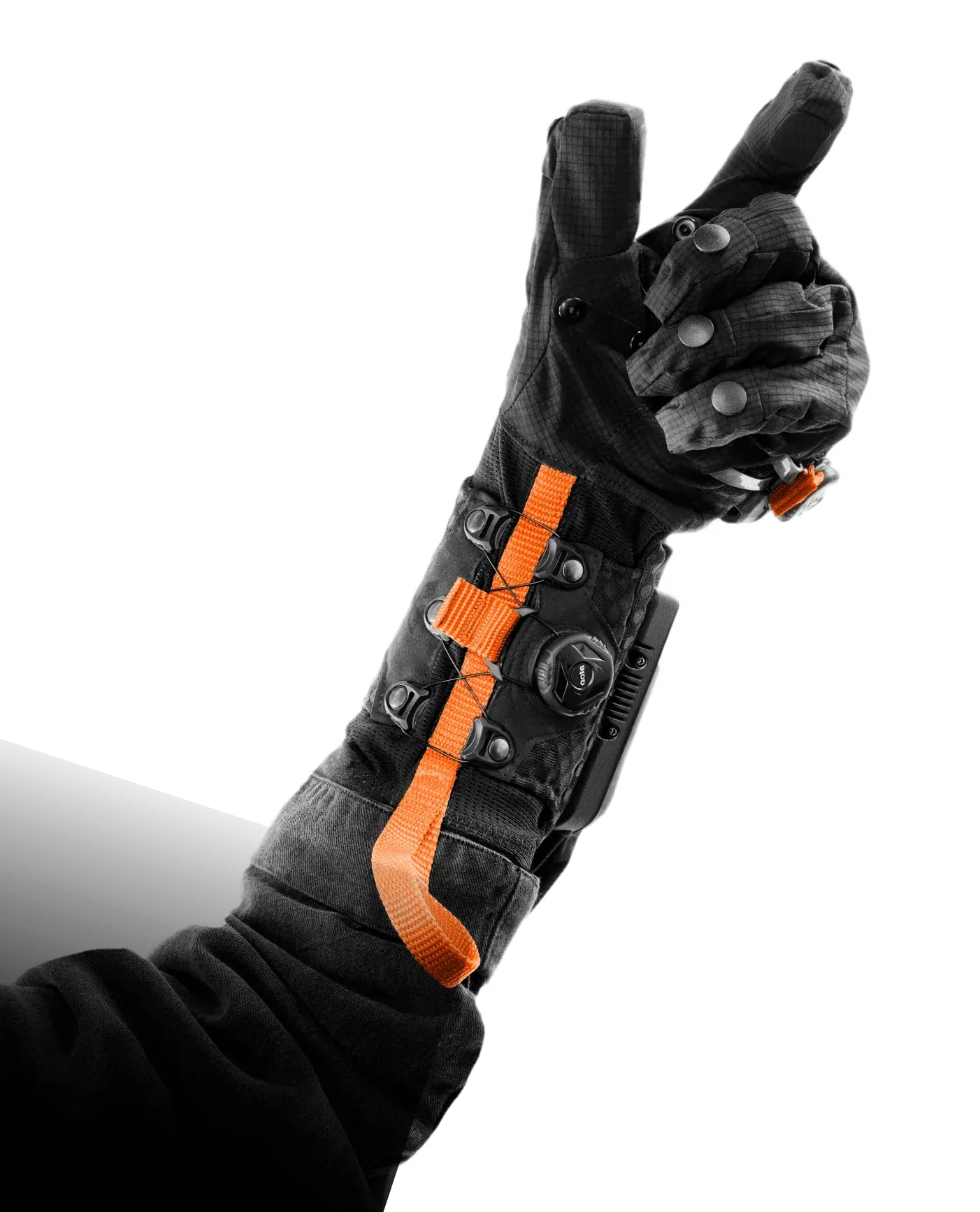
HaptX Gloves G1, back of the right hand, index finger raised, with orange pull strap and fit dials at the wrist.
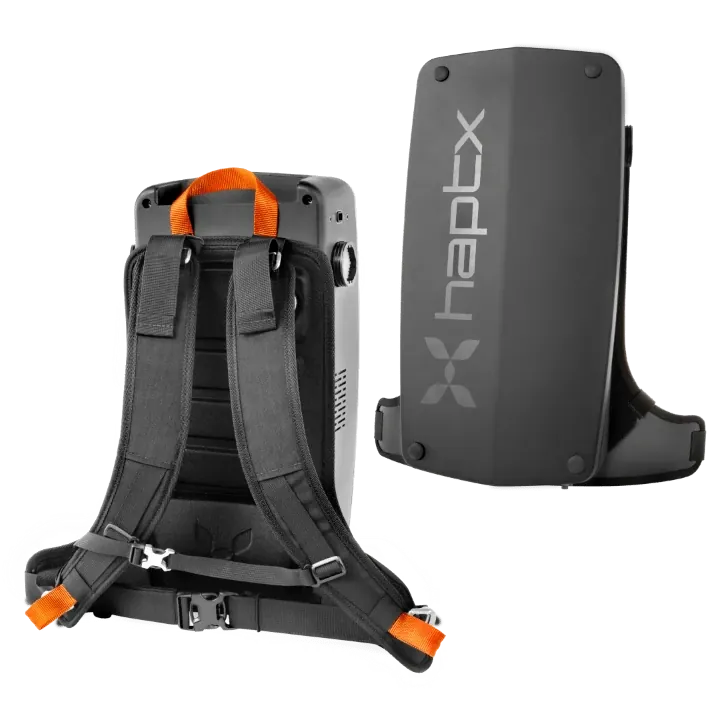
The HaptX Airpack in its wearable backpack configuration.

Hotspots indicate where each system acts, not exact internal component locations.

Flexible silicone panels inside the glove, lining the fingers and palm, are packed with tiny actuators. When a virtual surface meets your hand they inflate and physically displace the skin — the way a real object presses against it.

Actuators
135 per hand
Displacement
up to 1.5 mm
Peak pressure
9 psi (62 kPa)

High-power-density pneumatic actuators drive exotendons inside the glove that resist finger movement, so you perceive the size, shape and solidity of what you grip — not only its surface.

Per finger
up to 8 lbf
Per hand
up to 40 lb
Engagement
23 ms

A proprietary magnetic motion-capture system follows the whole hand with no occlusion and no perceivable latency, and the software builds an individualized, physically accurate hand model for the virtual avatar.

Tracked DoF
36 per glove
Resolution
0.3 mm rms
Occlusion
none (magnetic)

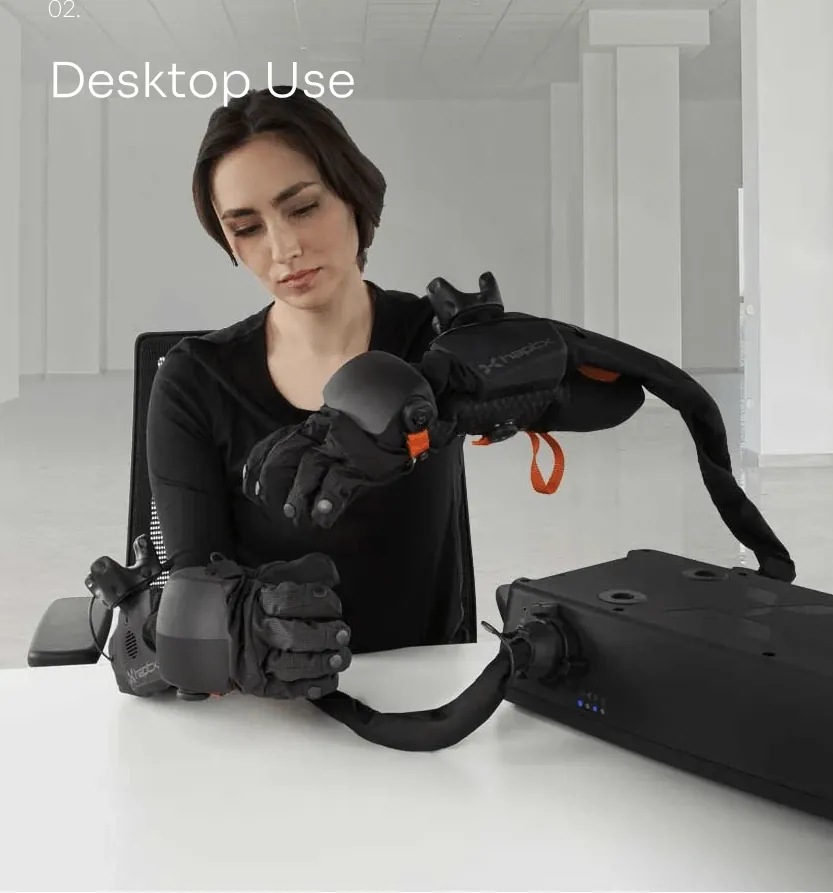
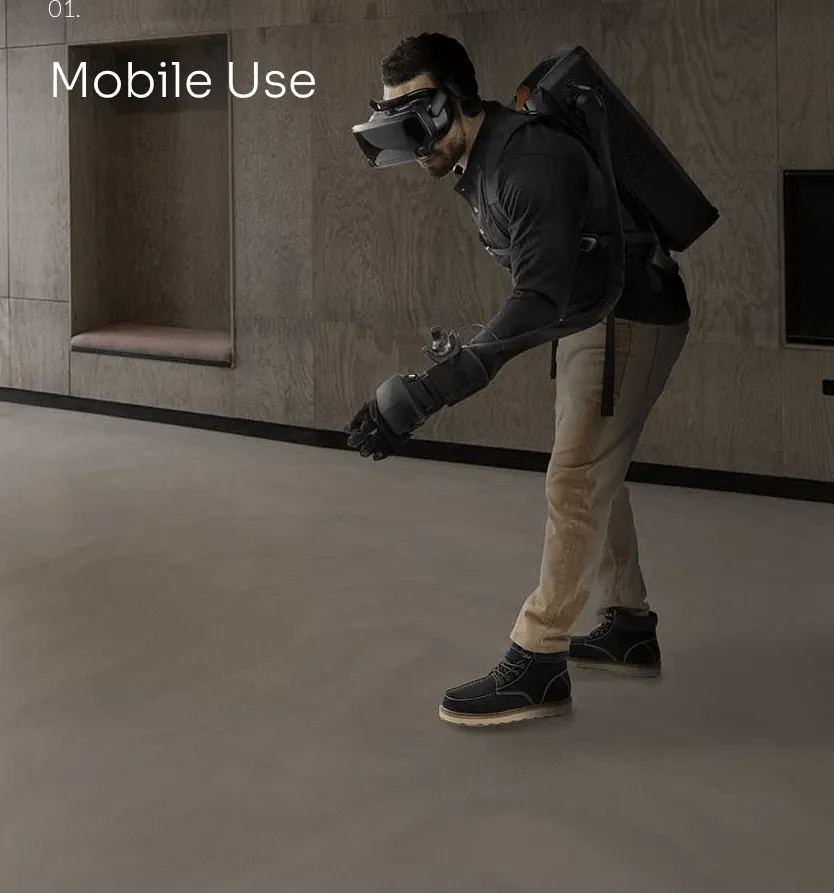
The Airpack generates and precisely controls the compressed air that powers the gloves, dynamically routing flow for fast, quiet haptics. Use it on a desk for seated or standing work, or wear it as a wireless backpack.

Channels
~150, pressure-regulated
Actuator fill
under 30 ms
Mobile battery
3 h typical
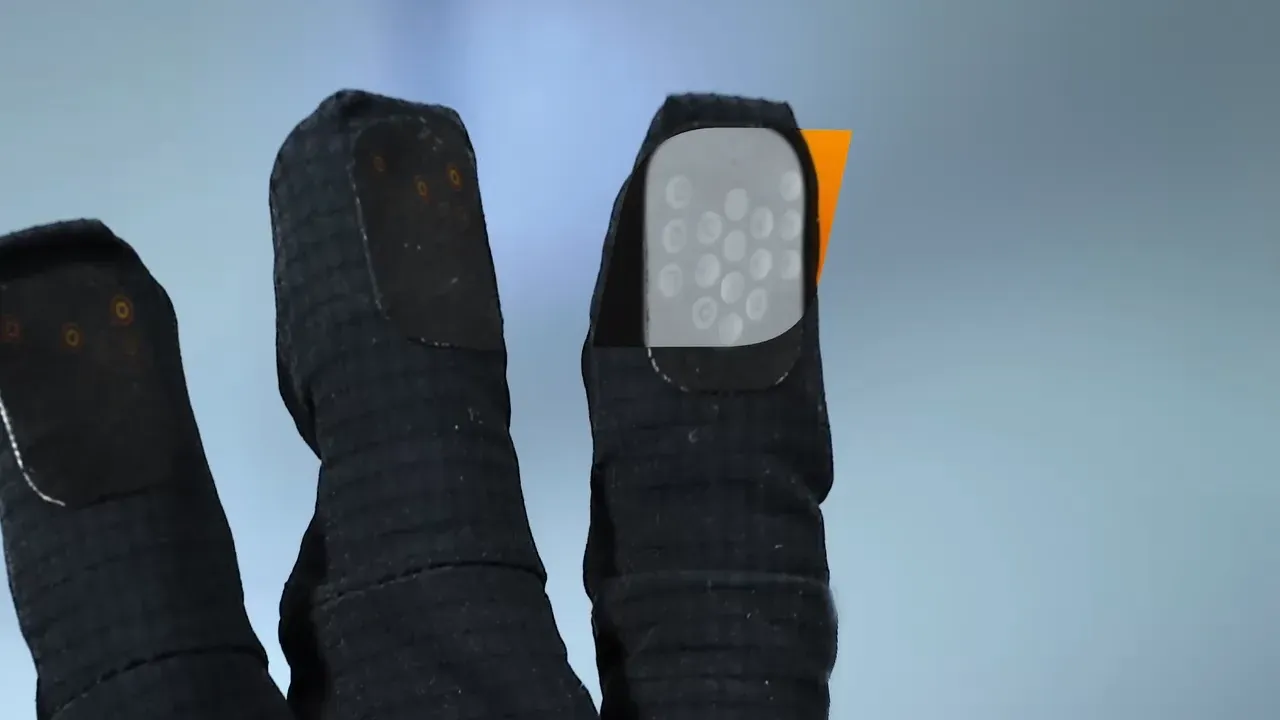
HaptX product film still: a gloved fingertip with its microfluidic tactile panel revealed against an orange graphic.
Fingertip tactile panel, shown in HaptX product footage.

135 tactile actuators per hand.

That density is what separates true-contact haptics from vibration motors: instead of buzzing, the glove displaces the skin where a virtual surface is — HaptX specifies coverage of 75% of the hand’s touch receptors.

How HaptX creates touch
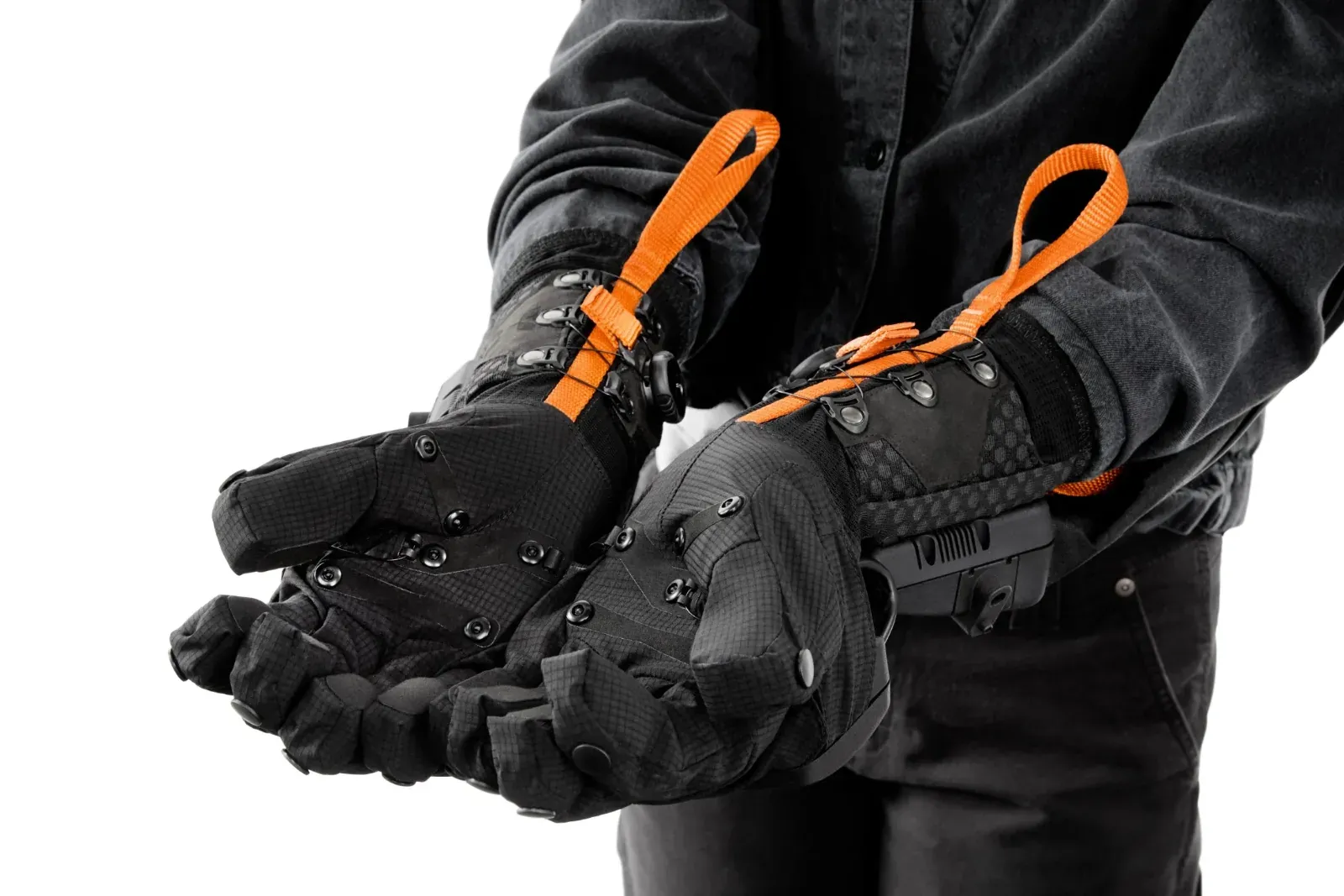
A person wearing HaptX Gloves G1 on both hands, palms up, against a white studio background.
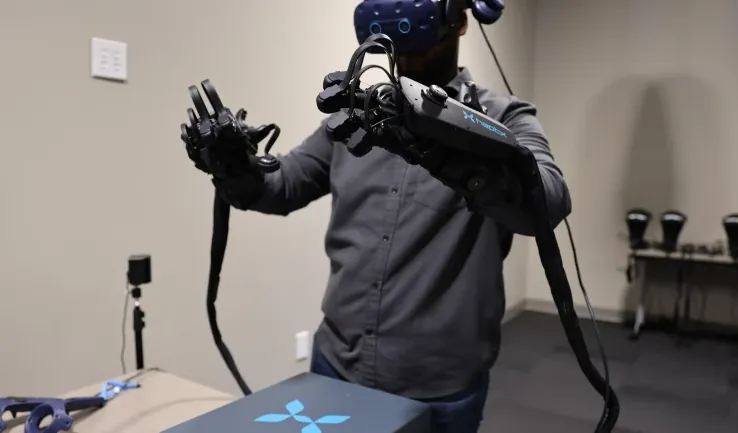
HaptX Gloves G1Sizes S · M · L · XL · ~1 lb per glove

04A closer look

HaptX Gloves G1

The first mass-produced microfluidic haptic glove — built for organizations that need people to use their hands naturally in simulation, in design review, or at the controls of a robot.

  • Tactile feedback135 microfluidic actuators per hand, up to 1.5 mm displacement
  • Force feedbackUp to 8 lbf per finger, 23 ms engagement
  • Hand tracking36 tracked DoF per glove, 0.3 mm rms resolution
Desktop configuration: a seated user wearing HaptX Gloves with the Airpack on the table.
Desktop Airpack on any stable surface, for seated or standing work.
Mobile configuration: a user wearing the Airpack as a backpack and HaptX Gloves, moving freely.
Mobile Wireless backpack with Wi-Fi and two swappable batteries.
  • HaptX SDK — no additional license fees
  • Human support, from setup onward
  • One-year limited warranty
  • Hygienic liners for shared gloves

05Use it

One technology. Three kinds of work that depend on the hands.

Seeing it and feeling it only matter if the experience is useful. These are the applications HaptX customers are building today.

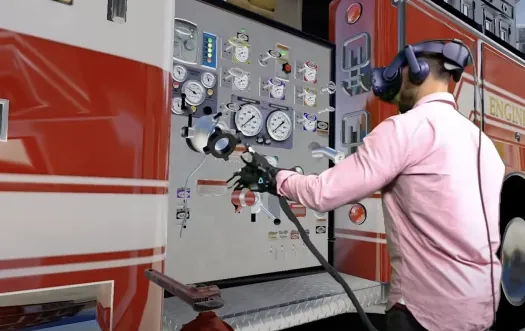
A firefighter trainee in a VR headset and HaptX Gloves operates a virtual fire-engine pump panel.
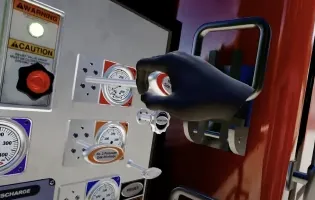
The same pump panel inside the simulation, with a virtual gloved hand on a control.In the headset

Workforce training

Rehearse the procedure with your hands, not a controller.

Trainees grip, turn and push as they would on the job, feeling contact and resistance as they work. Sessions are repeatable, and instructors can change conditions at the press of a button — drop hydrant pressure, rupture a hose — without wasting a drop of water.

  • RailLocomotive engine repair — BNSF
  • EnergyHazardous-material glovebox — Y-12
  • MedicalPatient-tissue simulation — ECS & Mayo Clinic
  • EmergencyFire-engine pump panel operation
Explore training

Robotics & teleoperation

Your hands move the robot. The robot’s touch comes back to you.

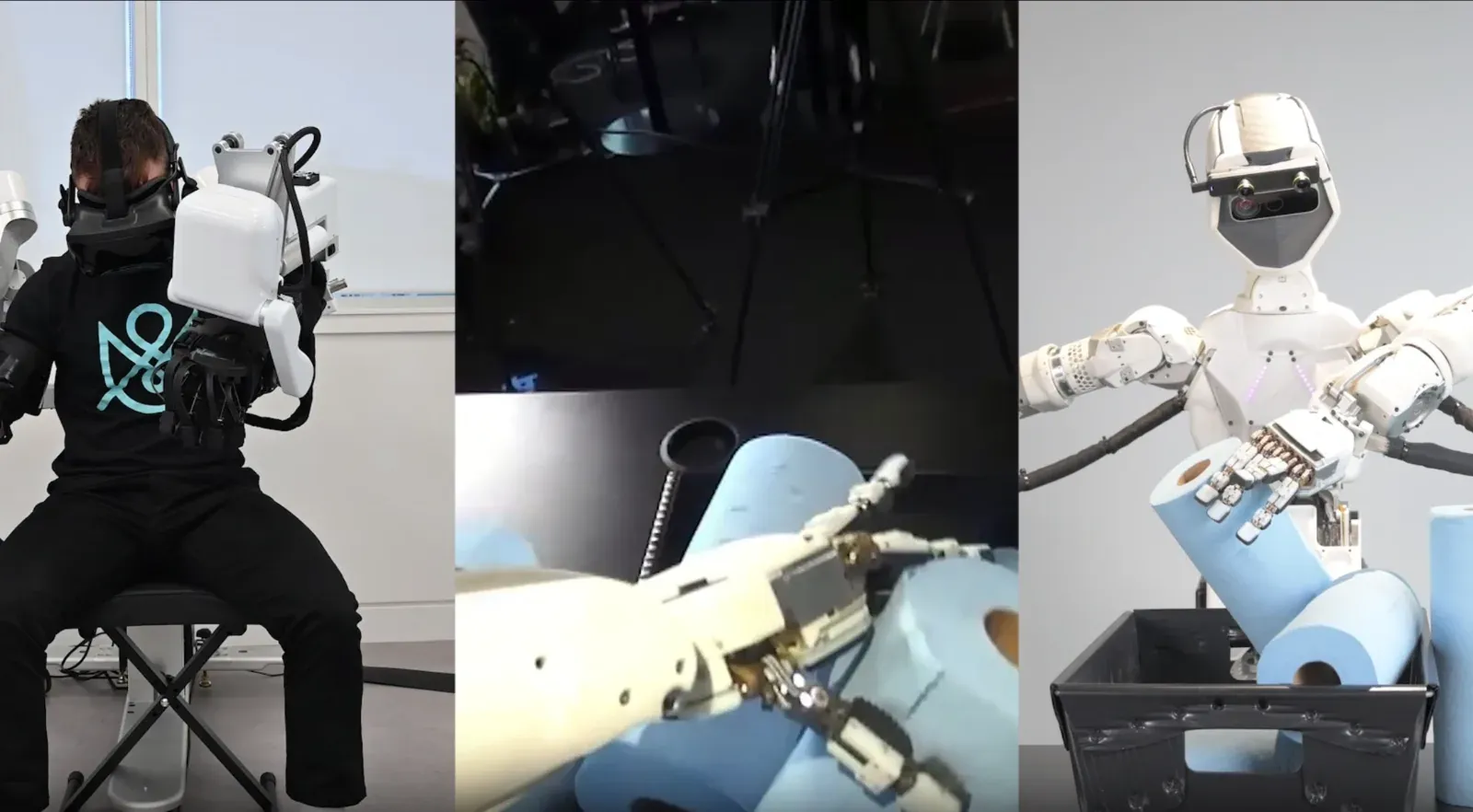
Operators wearing HaptX Gloves pilot dexterous robot hands, grippers and arms from a distance. Where the robot is fitted with tactile sensors, what it touches is rendered on the operator’s fingertips. The same natural demonstrations can be recorded to teach robots skills through imitation.

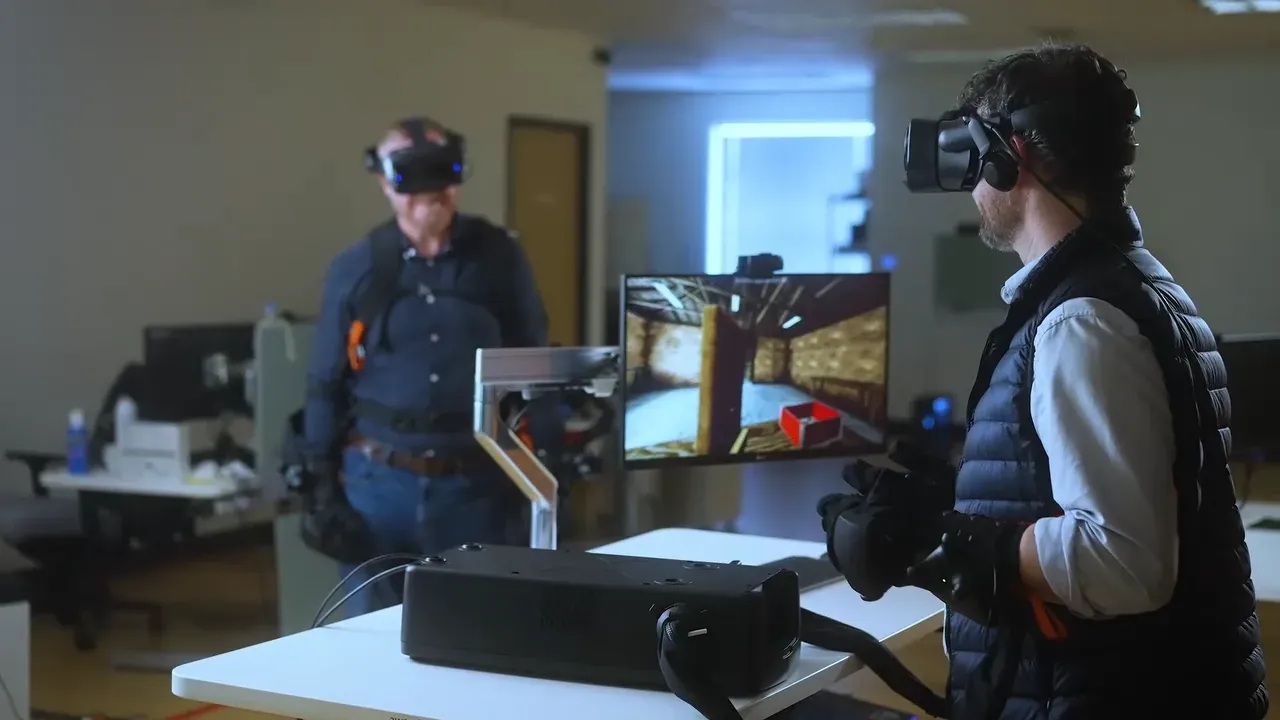
Sanctuary AI teleoperation: an operator wearing HaptX Gloves and a headset (left) controls a humanoid robot whose hands grip paper towel rolls (right).
Operator in HaptX Gloves humanoid robot · Sanctuary AI
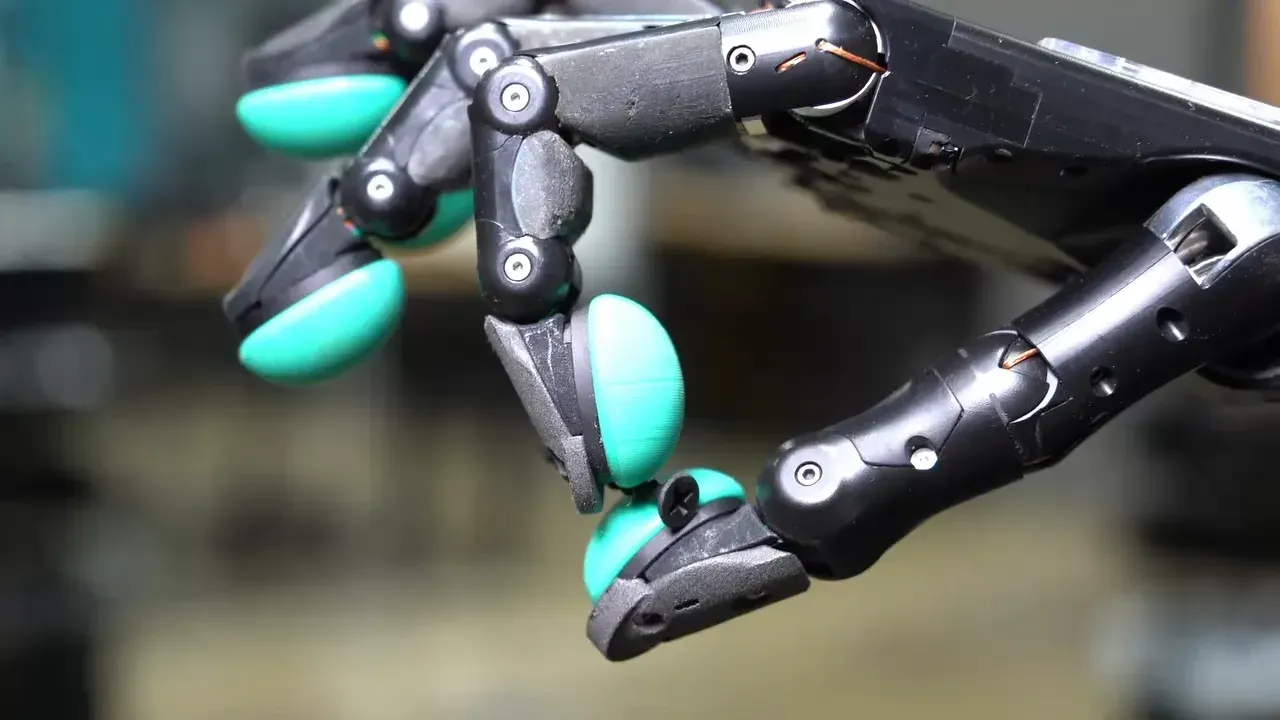
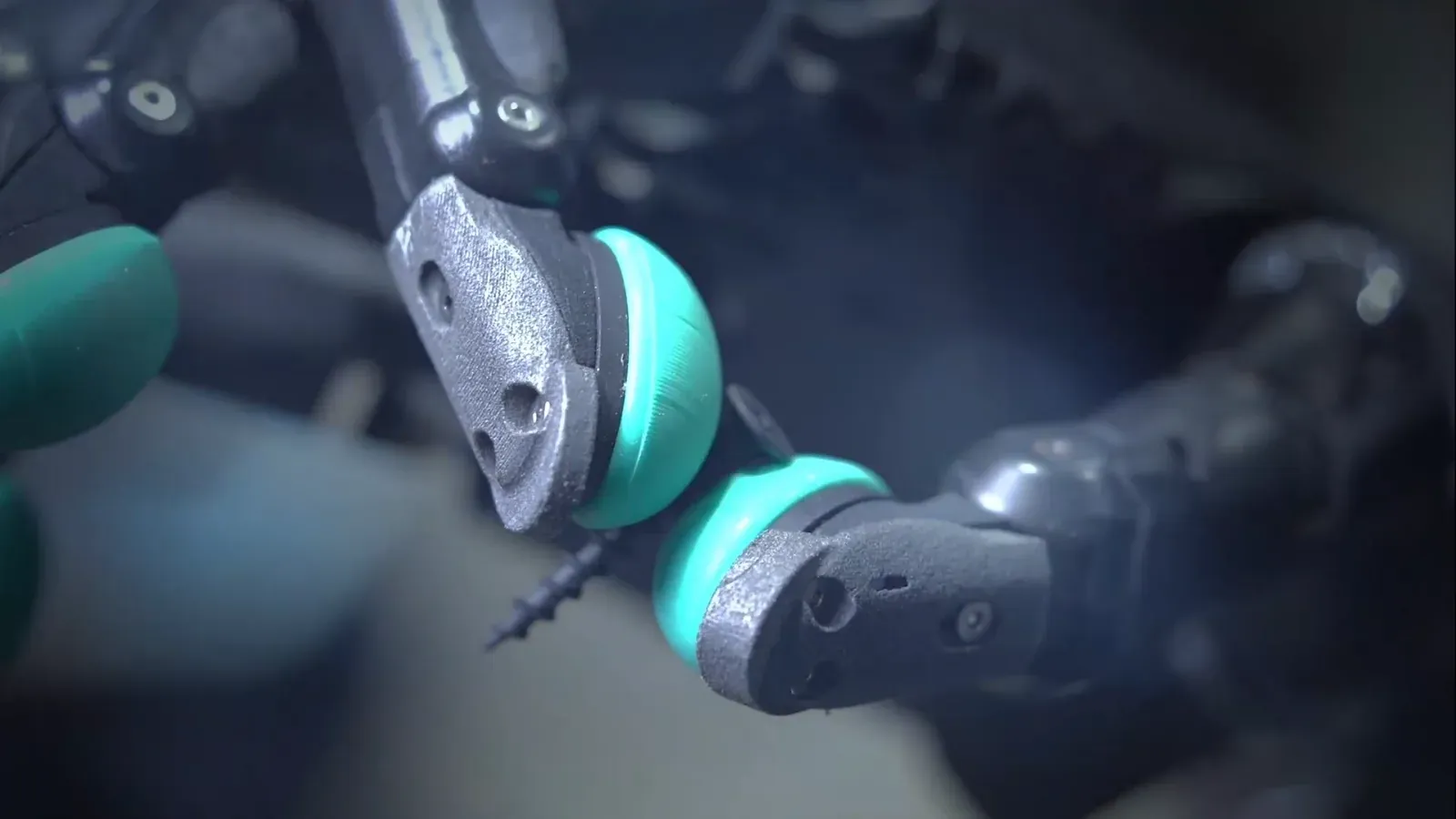
Shadow Robot dexterous hand with tactile sensor fingertips turning a small screw, from the HaptX Tactile Telerobot project.
Tactile fingertips report contact · Tactile Telerobot

Human-controlled, not autonomous. In these systems a person drives every motion; HaptX Gloves are the interface between the operator’s hands and the robot’s.

Explore robotics

Design & manufacturing

Review the prototype by reaching out and using it.

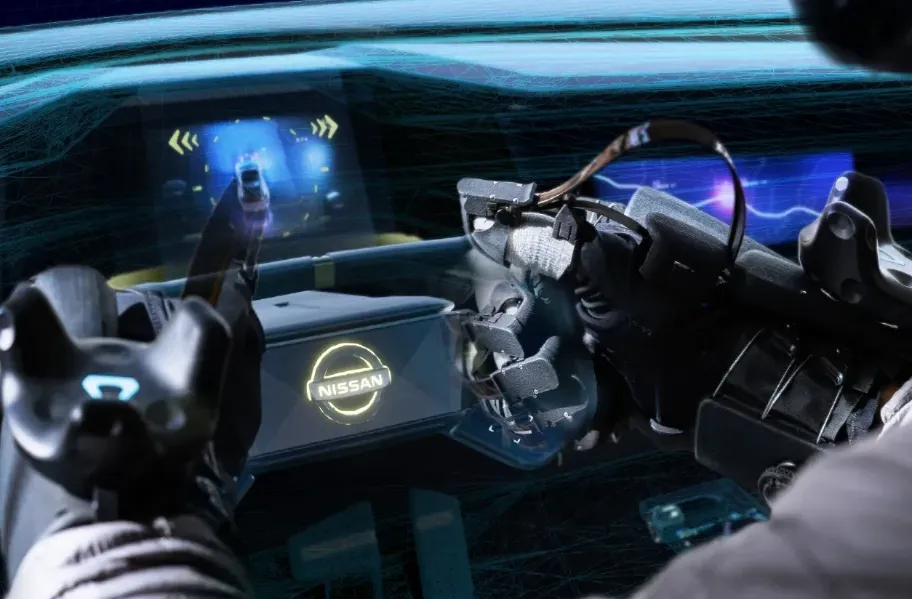
Engineers and designers grip a steering wheel, press a touchscreen and feel the click of a turn signal in a virtual interior — evaluating ergonomics and materials through touch, not only sight. Multi-user haptics let several reviewers feel the same virtual objects together.

  • AutomotiveInterior design reviews — Nissan
  • RetailMaterial evaluation — Lowe’s Innovation Labs
Explore design + manufacturing
A designer wearing early HaptX gloves reaches for a virtual vehicle’s steering wheel and dashboard in VR.

Nissan design review, shown with an earlier HaptX glove (DK1).

06Real deployments

Proven where hands-on skill matters.

Each story is labeled for what it is — a program in use, a prototype under evaluation, or a proof of concept.

A BNSF trainee wearing HaptX Gloves and a VR headset during Roundtable Learning’s locomotive training module. A BNSF Railway locomotive.

Mechanics troubleshoot Tier 4 locomotive engines in VR — with touch.

Who
One of North America’s leading freight railroads.
Challenge
Hands-on locomotive maintenance training is costly to stage and hard to repeat on real engines.
How HaptX is used
Roundtable Learning’s Mechanical GEVO Tier IV course integrates HaptX Gloves G1, so mechanics troubleshoot and repair T4 engines and subsystems step by step in a virtual environment.
What it shows
It was the first VR program in BNSF’s 2024 safety and technical training initiatives, adding touch to procedural practice.
Sanctuary AI: Pilots feel the objects their humanoid robot handles.

Pilots feel the objects their humanoid robot handles.

Sanctuary AI selected HaptX Gloves so the human operators who pilot its humanoid robot can feel the objects being handled.

CustomerExplore robotics
Y-12 National Security Complex: A multi-user virtual glovebox for hazardous-material handling.

A multi-user virtual glovebox for hazardous-material handling.

Using the HaptX SDK, the team built multi-user haptics into a virtual glovebox simulator in Unreal Engine, now being studied against joystick and physical-glovebox conditions.

Prototype under evaluationRead the case study
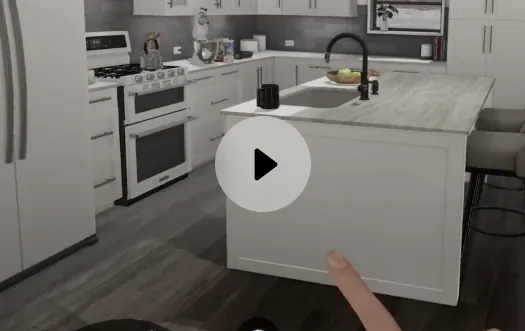
Lowe’s Innovation Labs: Infinite Kitchen Touch: evaluating materials by feel in VR.

Infinite Kitchen Touch: evaluating materials by feel in VR.

Lowe’s team built the prototype in-house in Unreal Engine, designed around HaptX gloves; it was showcased at AWE 2023.

Proof of conceptView the Lowe’s project (opens in a new tab)
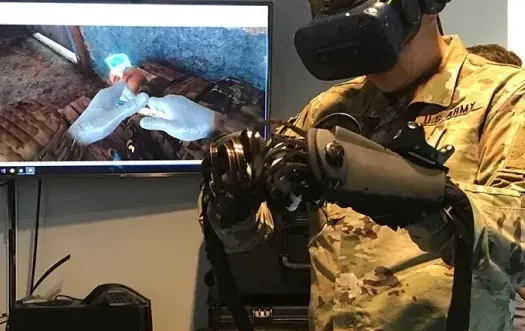
ECS, Mayo Clinic & Defense Health Agency: Haptics-based medical training inside the U.S. Army’s Synthetic Training Environment.

Haptics-based medical training inside the U.S. Army’s Synthetic Training Environment.

ECS uses HaptX Gloves to simulate live patient tissue in VR and to run collaborative, multiplayer training scenarios.

Research collaborationRead the ECS release (opens in a new tab)

All customer stories

07For developers & integrators

Build touch into your own application.

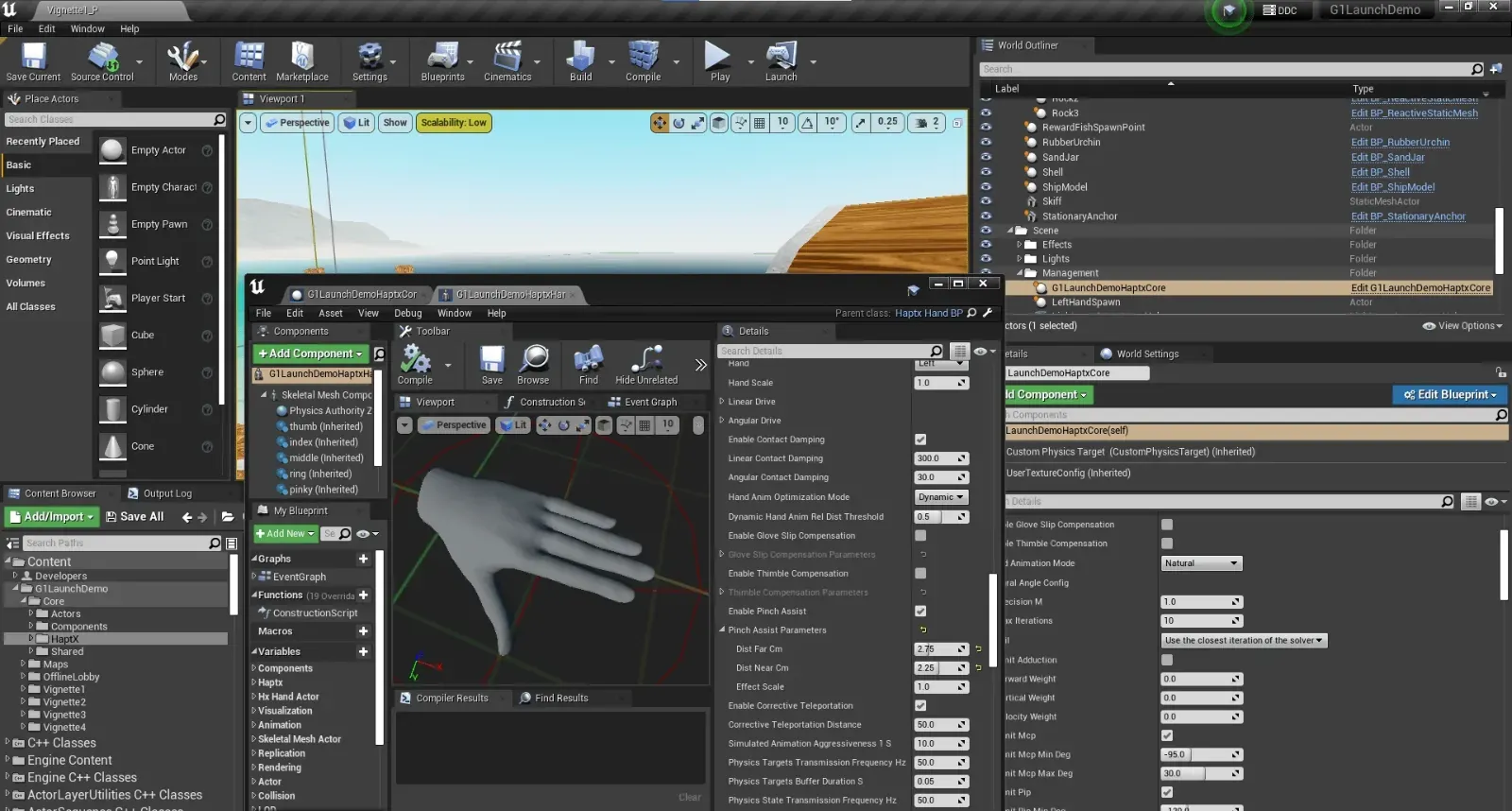
The HaptX SDK pairs a physical-simulation framework for haptic interaction with familiar tools: per-object tactile properties, force-feedback settings for size, shape and rigidity, grasping algorithms, a vibrotactile API and pre-built effects.

  • Unreal EnginePlugin with HaptX hand, haptic effects and sample project
  • UnityPlugin for touch-enabled Unity applications
  • C++ APILow-level API and Starter Project for custom engines — CAD/CAE, GIS and more
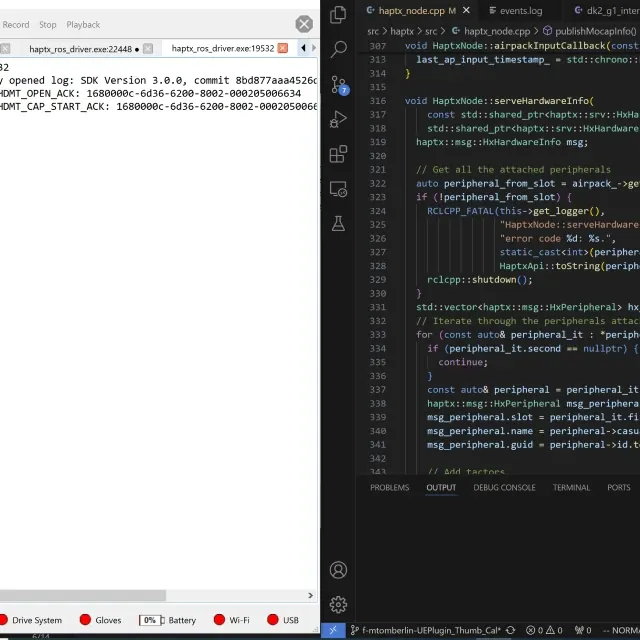
  • ROS 1 & ROS 2ROS node for teleoperation, machine learning and computer vision

Start before your gloves arrive — develop with standard handheld VR controllers, then switch to HaptX Gloves.

HaptX SDK in Unreal Engine: the HaptX avatar hand in the editor viewport with plugin settings panels.
Source of the HaptX ROS node (haptx_node.cpp) in a code editor beside an SDK 3.0.0 driver log.

08Why realistic touch matters

Touch is information.

“Touch leaves a memory trace that persists long after the physical sensation is gone.”

Scientific American (opens in a new tab)
  1. Learning through doing

    For procedures where dexterity and tool-handling decide success, practice should engage the hands the way the real task does — building procedural and muscle memory, not just familiarity.

    A trainee at Y-12 wearing a VR headset and HaptX Gloves reaches into a virtual glovebox.
  2. Working with greater confidence

    When a remote robot hand or a virtual tool reports contact through touch, the operator gets control information they would otherwise have to infer from video alone.

    A dexterous robot fingertip fitted with a tactile sensor.
  3. Evaluating designs more naturally

    Reaching, gripping and pressing a virtual prototype reveals questions of fit, reach and feel that visual inspection alone can miss.

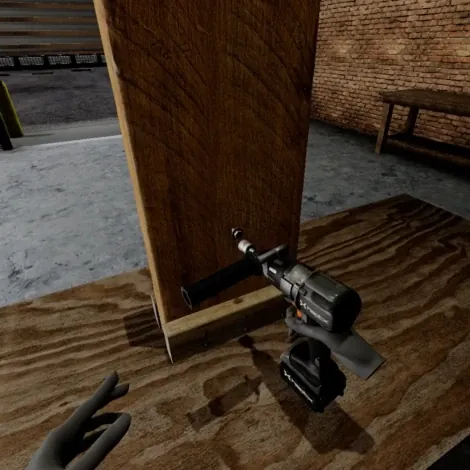
    HaptX SDK scene: a virtual hand operating a power drill against a wooden post.

09Technology & research

A decade of inventing the hardware of touch.

HaptX’s interdisciplinary team of mechanical, software, electrical and biomedical engineers works across microfluidic actuation, tactile interfaces, force feedback and motion tracking — from lower-body exoskeletons to humanoid robot training.

Patents granted
22as of 2024, more pending
Foundational patent
2013vision still shipping today
Explore the technology
  1. 2013Omnibus patent filed outlining the full technology roadmap.
  2. 2016First whole-hand microfluidic tactile and thermal display built.
  3. 2018DK1 — the first commercial microfluidic haptic gloves.
  4. 2019Tactile telerobot: remote robot control with realistic touch feedback.
  5. 2021Gloves DK2 — first microfluidic haptic glove in serial production.
  6. 2023Gloves G1 — first mass-produced microfluidic haptic glove.

Start a conversation

Bring the sense of touch into your next experience.

Whether you’re building a training simulation, developing robotic systems or exploring tactile interaction in virtual design, let’s discuss how HaptX can support your application.